Moving DT Training from XD to Figma started with a concept, and turned into a full design system in a matter of days.
The DT Training site has been designed in Adobe XD for years, with Colours, Character Styles and Components holding it all together. With XD winding down and the site continuing to grow, it was time to move to Figma. Rather than copy the old files across, I wanted to rebuild the system properly, with variables, modes and components that developers could map straight to code.
Figma Make interactive concept
I started in Figma Make, building an interactive concept of the new site. It was a fast way to explore a cleaner layout, test the course browsing and checkout flow, and get something clickable in front of Darren early, without building every screen by hand.
From Make to a design system file
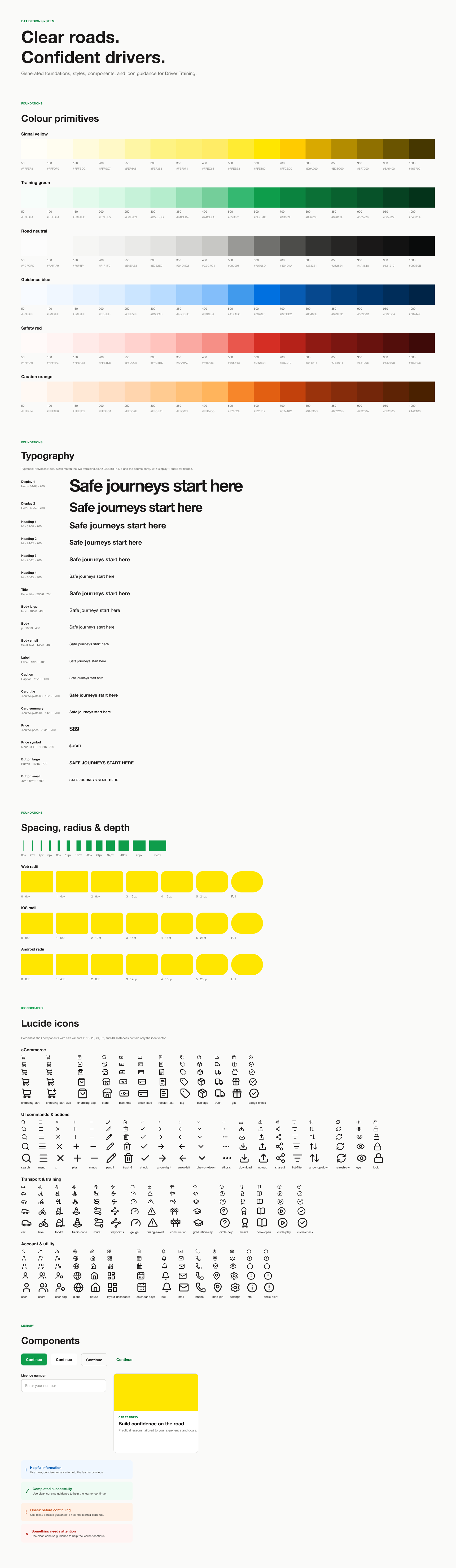
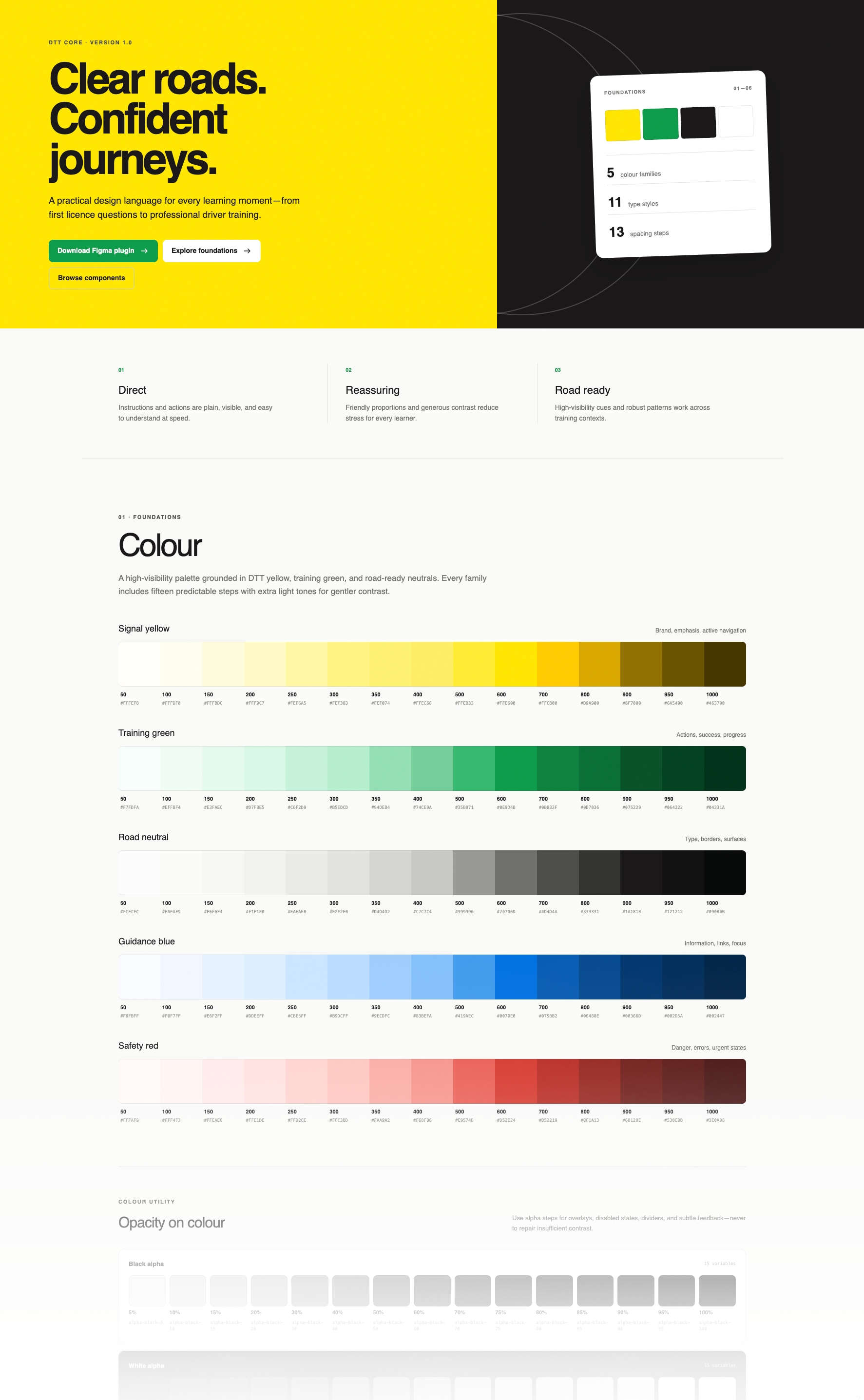
The concept already had a design language baked in, so the next step was getting it out of Make and into a proper Figma library. Make used a JSON exporter to output the tokens as a manifest.json, then a design system builder to generate the library from it. That gave me a head start: colour primitives (Signal yellow, Training green, Road neutral, Guidance blue and Safety red), a semantic colour layer with Light and Dark modes, dimensions for spacing and radius, and a typography collection.
Where it fell short
The generated file looked right, but it wasn't wired up properly underneath:
The semantic colours were raw hex values. None of them were linked to the primitive colour scales, so changing a primitive changed nothing.
The text styles weren't using the typography variables.
The type scale was much larger than the live site. Headings came out around one and a half times the size the site actually uses.
It was a good starting point, but started eating tokens like Cookie Monster. With the basic foundations set, it was time for a change.
Building it out with Claude
This is where things sped up. I connected Claude Code to Figma MCP and worked through the system together, with me setting direction and reviewing every change in the file as it happened.
Colour: We linked every semantic colour to its primitive, added an orange scale for warnings, and later added an 850 step to every scale so dark mode surfaces could shift more subtly.
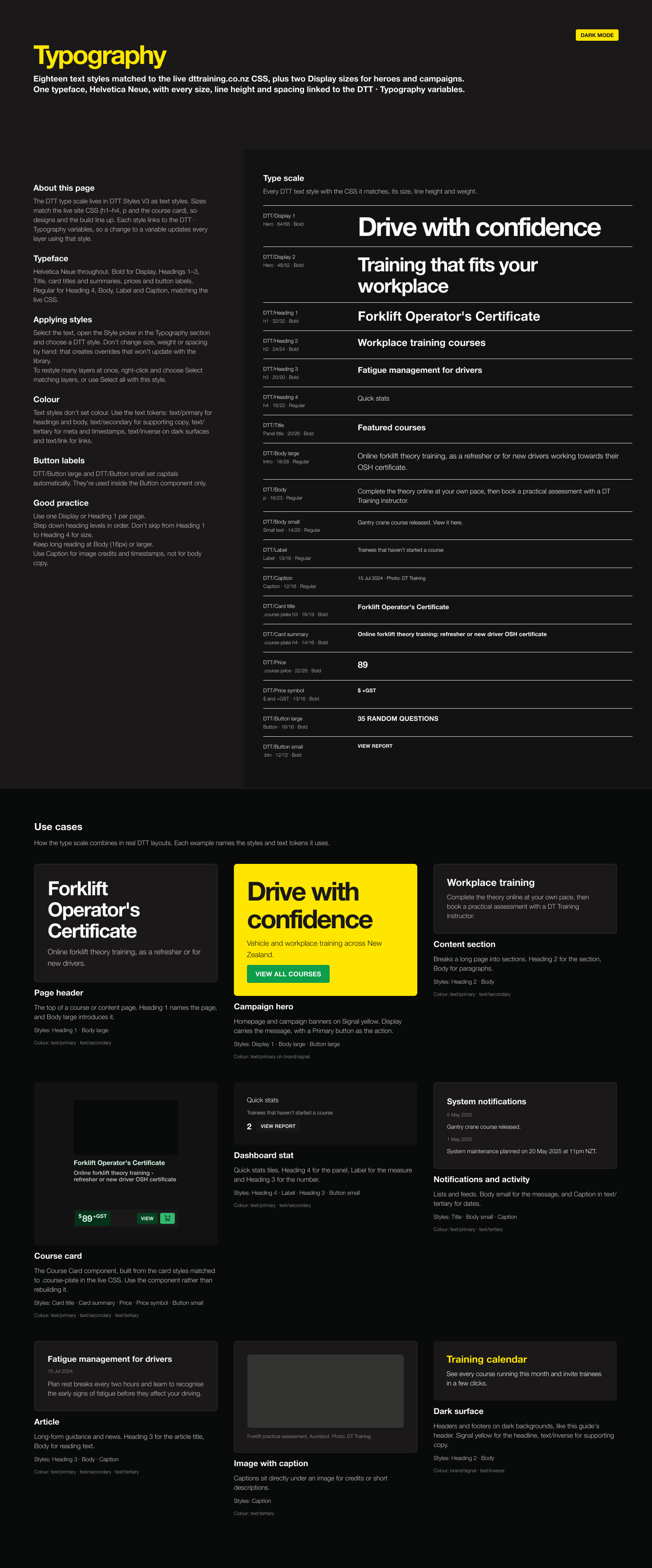
Light and Dark mode: Every colour in the system comes from a semantic token with a Light and a Dark value, so any frame can be switched to dark mode with one setting. We tuned the dark surfaces into even, subtle steps from page to card to raised panels.
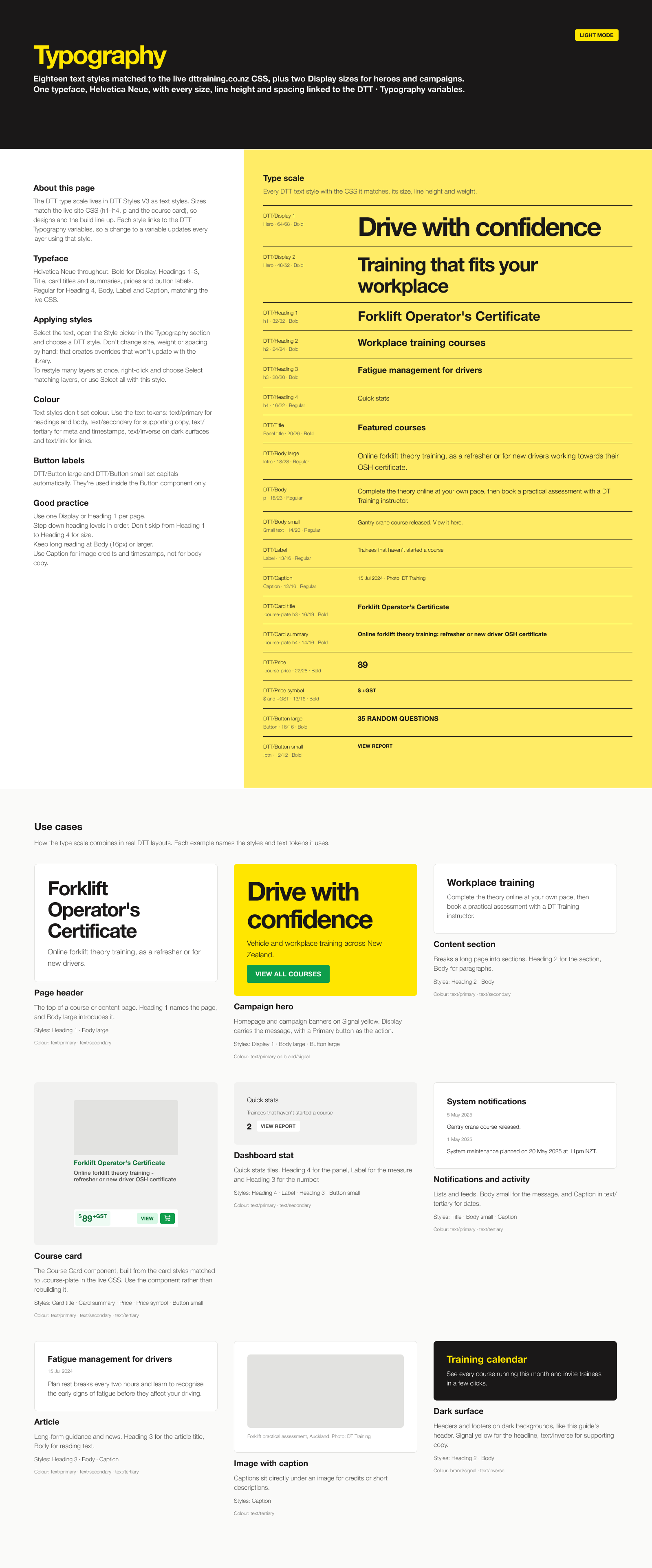
Typography: I gave Claude the developers' CSS files, and it pulled out the real values for h1 to h4, body text and the course card. We matched the text styles to the live CSS first, then added two Display sizes above h1 for heroes and campaigns.
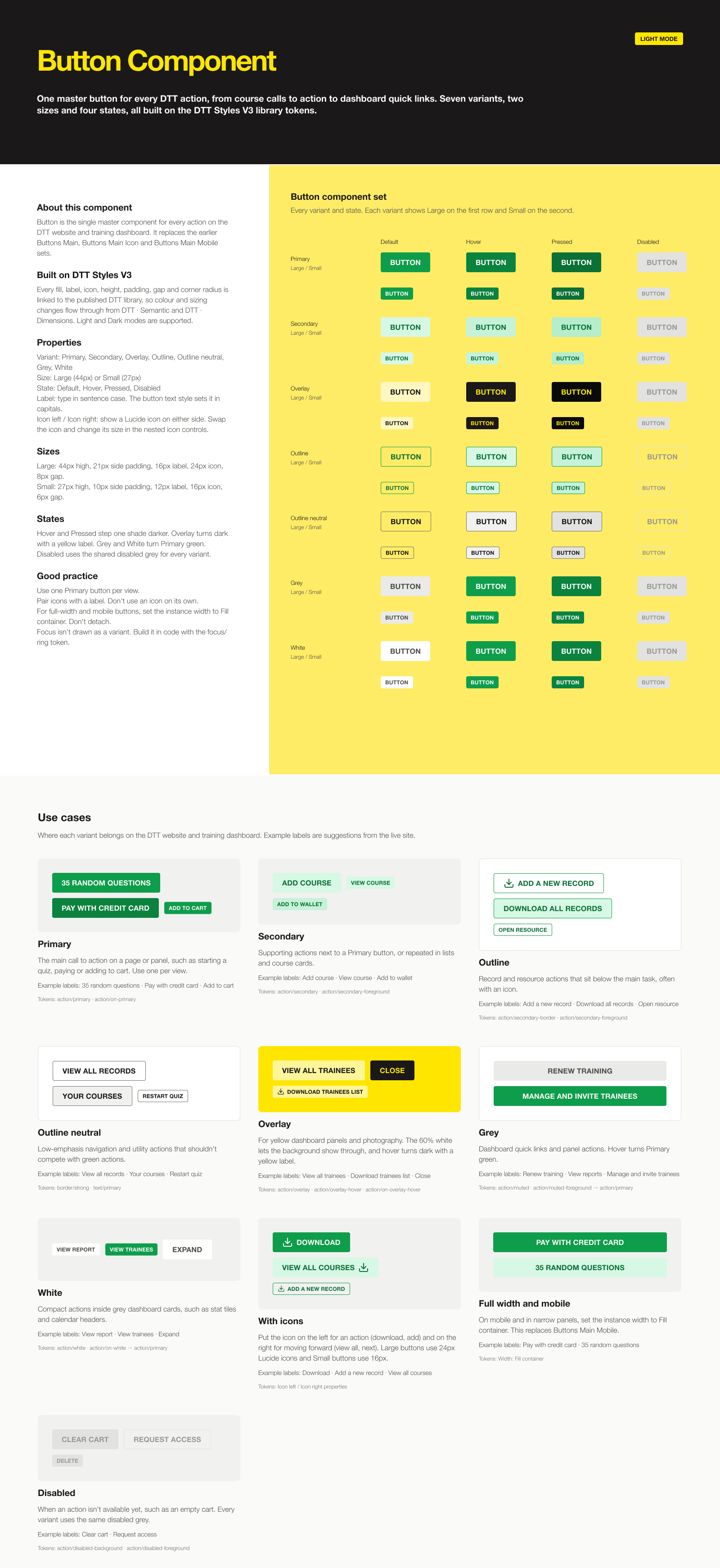
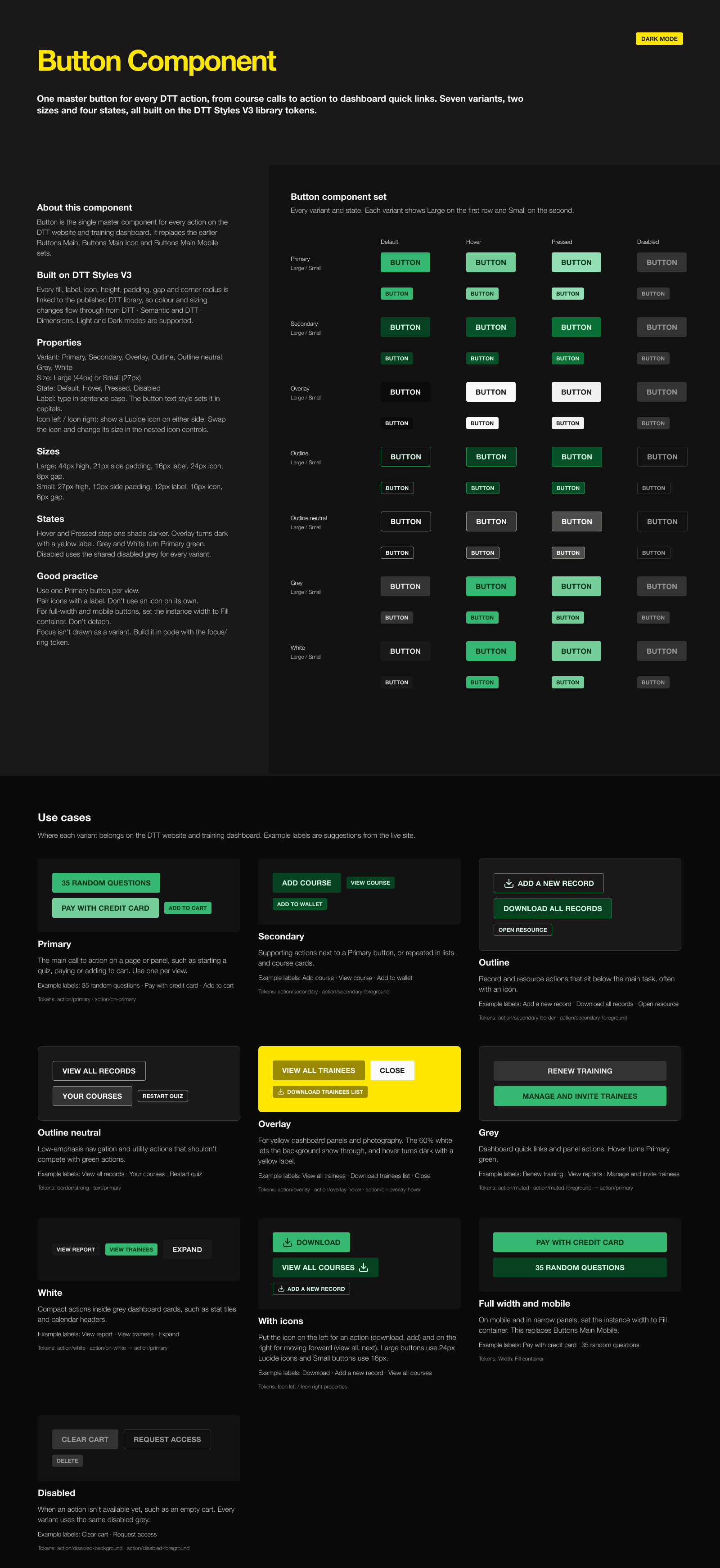
Buttons: We audited the existing button builds, cleaned up the tokens behind them, and built one master Button component. It has seven variants, two sizes and four states, with Lucide icons sized to match.
Course cards: The course card now has Grid and slim List layouts, with a hover state that turns green and reveals more detail. Darren wanted the list rows slim enough to fit more courses above the fold. Sale pricing became its own Price component, where a red "was" price locks onto the green price, with a properly drawn strikethrough instead of the thin one the font provides.
Line weights: We added stroke tokens for borders, focus rings, table lines and the strikethrough, so line weights are managed in one place too.
Each component has its own guide page, in light and dark mode, with an introduction, anatomy, properties, use case examples and the tokens it uses.
What changed
What used to take weeks in XD came together over a few days. More importantly, the system is now connected all the way through: change a primitive colour or a type variable, and it flows through the styles, the components, the guides and the dark mode versions. The developers get values that match their CSS, and Darren and I get a library we can keep building on.
Next up is building the real pages from these components and rolling the improvements out to the live site.
Concept, design, deliver.